
How it works
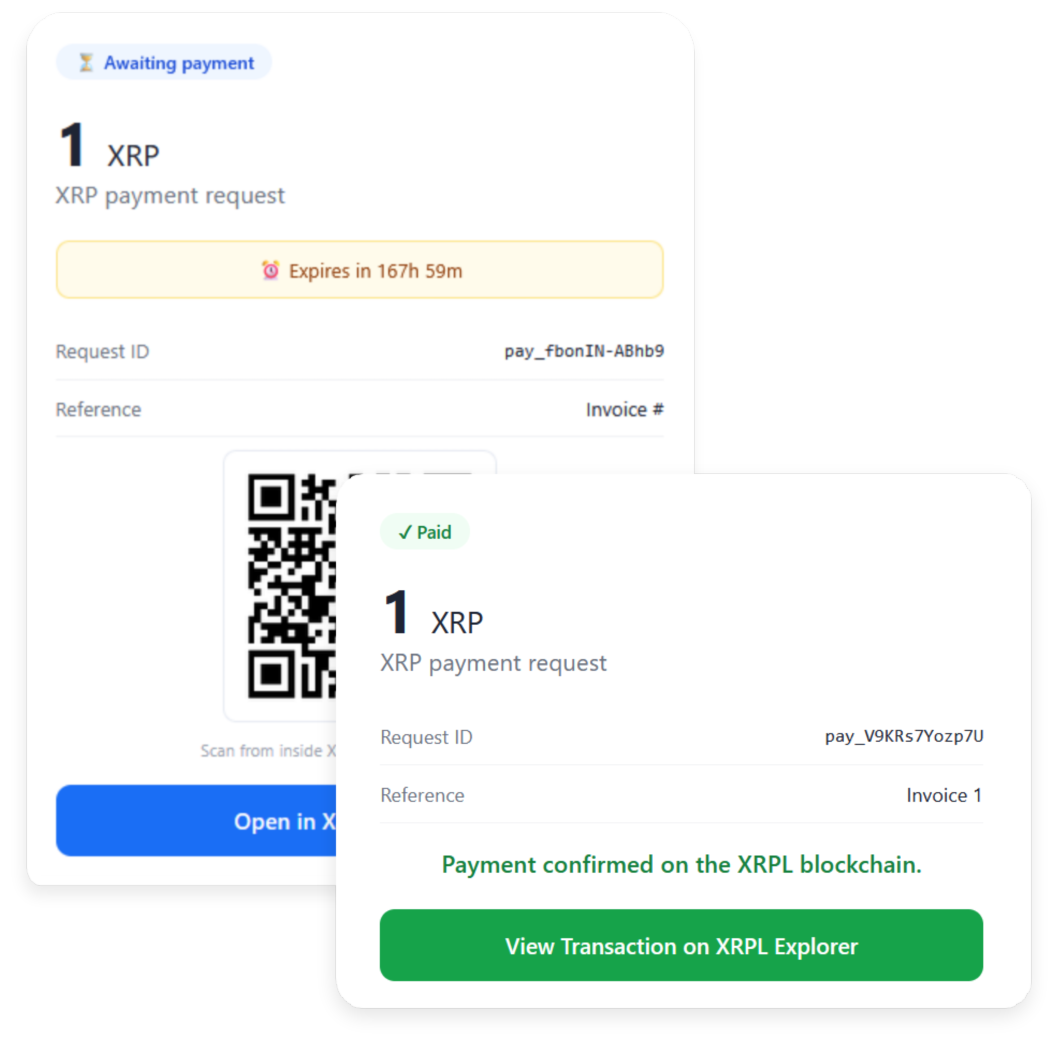
You create a payment request in ProofDrop specifying the amount in XRP and an optional reference. ProofDrop generates a unique payment link and QR code pre-filled with your wallet address, the amount, and the reference in the memo field.
Your customer opens the link, scans the QR code from a compatible XRP wallet such as Xaman, confirms the payment, and sends it. The XRPL settles the transaction in 3 to 5 seconds. ProofDrop detects the payment, marks the request as paid, and records the XRPL transaction hash as a permanent on-chain receipt.
Payments go directly from your customer's wallet to your wallet on the XRPL. ProofDrop only monitors and records the transaction. It has no access to your funds at any point.
Payment request states
- Awaiting payment Link is active, no payment received yet.
- Paid Payment confirmed on the XRPL. Receipt locked on-chain.
- Expired Link expired before payment was received.
- Cancelled Manually cancelled before payment.
Step-by-step guide
Create and share your first payment link in under a minute.
Connect your XRP wallet
In your ProofDrop dashboard go to Settings, then Wallet, and enter your XRP wallet address. This is the address payments will be sent to. ProofDrop never asks for your private key or seed phrase.
Create a payment request
Go to Payment Links, then New request. Enter the amount in XRP and an optional reference label such as Invoice 42 or a client name. Click Create payment link.
Max 500 XRP on Starter. Max 1,000,000 XRP on Pro.Share the link or QR code
Copy the payment link and send it to your customer by email, message, or invoice. The link opens a payment page with a QR code pre-filled with your wallet address, the amount, and the memo reference.
Customer pays via Xaman wallet
Your customer scans the QR code from Xaman wallet app (more wallets will be added), reviews the pre-filled amount and memo, and confirms. The XRPL settles the payment in 3 to 5 seconds and the page updates automatically.
No account needed for the customer to payReceipt recorded on-chain
ProofDrop detects the incoming transaction, marks the request as paid, and records the XRPL transaction hash as the permanent receipt. You and your customer both see the transaction hash and a link to verify it on any XRPL block explorer.
Limits
Payment Link limits vary by plan.